Grouped Addons
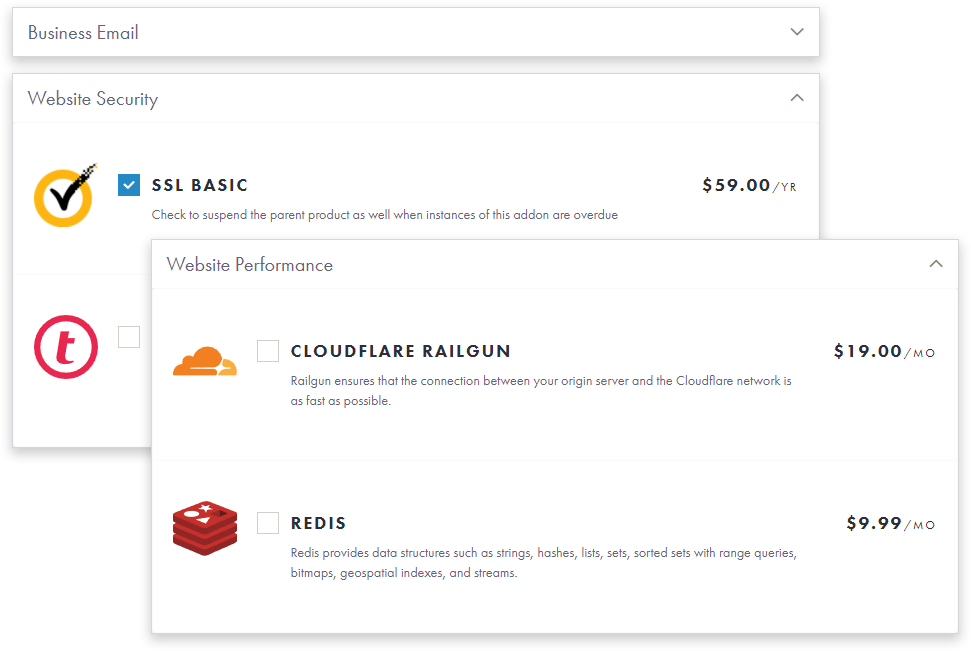
Organize and group multiple WHMCS cart addons in collapsible panels. Engage your customer and improve up-sales of recommended products.

Latest Version
1.2.2
Latest Update
Feb 9, 2022
Required Technology
Support / Updates
12 Months Included
License
Owned - $39
Module Updates
Includes 12 months of support and access to latest updates. Can be optionally renewed at $9.99/yr.
Easy Customization
Adjust panel contextual colors, collapsible state and order for each addon group. Use built-in CSS editor for advanced customization.
Orderform Support
Native Flowcart support. Includes child orderform for standard cart and all default WHMCS templates.
Easy Installation
No template modifications. Installs as child theme for standard cart and works with Flowcart directly.
Improved Experience
Allow customer to easily review and order multiple addon items grouped in categories. Create extra layer of interest! Dark mode from a parent theme is supported.
Addon Product Image
Quickly add images, logos or icons for your WHMCS product addons. Create better presentation, visual unification and focus.
- Hosting
- IT
- Designer
Web Hosting
Hosting company can create a number of grouped addons like Performance, Security, Website Builder, Admin Services. Performance panel can offer Cloudflare, Nginx, LiteSpeed Cache, CDN, etc. Less important groups can be collapsed to minimize order form clutter but still be accessible for a client.
Does this module work with MarketConnect services?+-
This module was designed to work with classic WHMCS addons. MarketConnect management interface is not supported.
How can I manage the groups for my addons?+-
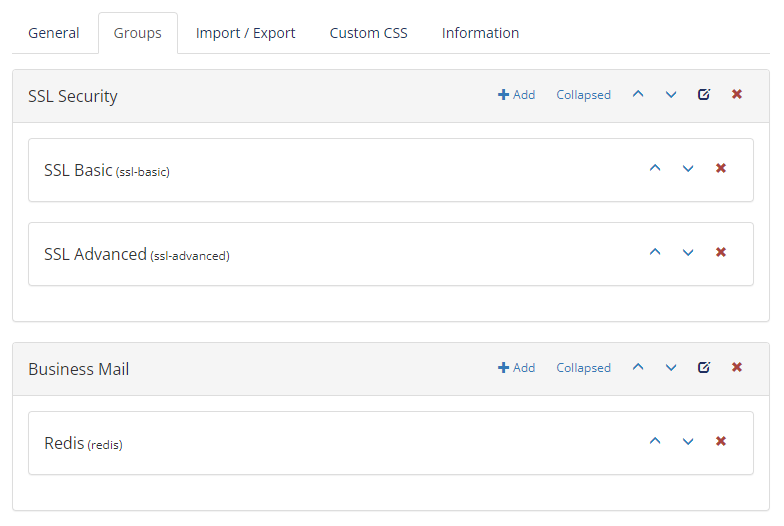
Our module provides visual interface with editable area on WHMCS addon page. You can move and arrange addons groups and addons inside. Select which groups are collapsed by default to minimize clutter. Change contextual color for your bootstrap panel.
Can I add my own CSS?+-
Each group and each listed addon are assigned a custom class visible in admin area. This class can be used for any level of customization using built-in CSS editor
Can I add my own product image or icon?+-
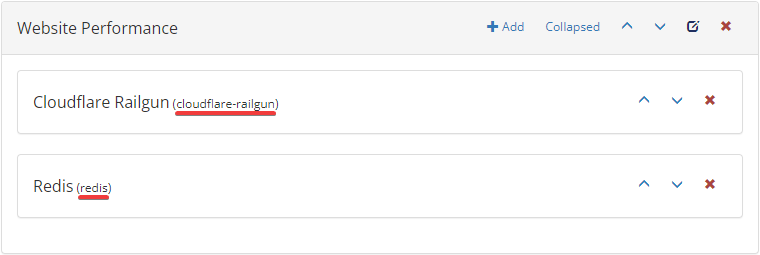
Product addon images will be automatically parsed if placed in WHMCS root \assets\img\addon_logos. The example in panel image below would require filename "cloudflare-railgun.png" or "cloudflare-railgun.svg" and "redis.png" or "redis.svg".
What version of WHMCS does this module support?+-
Our modules always support latest WHMCS versions. Any future updates are released within 24-48 hrs after the official announcement. We do not support EOL versions. We do not support Beta or RC versions.